Every bill lands in the cycle that pays for it, so you see a tight cycle before it arrives.
Nov 6 to 20
Day 15 of 15
Spendable
After everything due by Nov 20
Cash In
Landed Nov 6
Cash Out
1 payments to go
Next payday
Nov 21, in 1 days
Cycle days
Last day
Friday, November 20
TodayNothing due on this day
A narrated tour of the app with this page’s sample account: Home, your pay schedule, Left to pay, the Safe Margin, Apple Pay capture and Plan Mode.
Most budgets start on the first. Your money starts on payday.
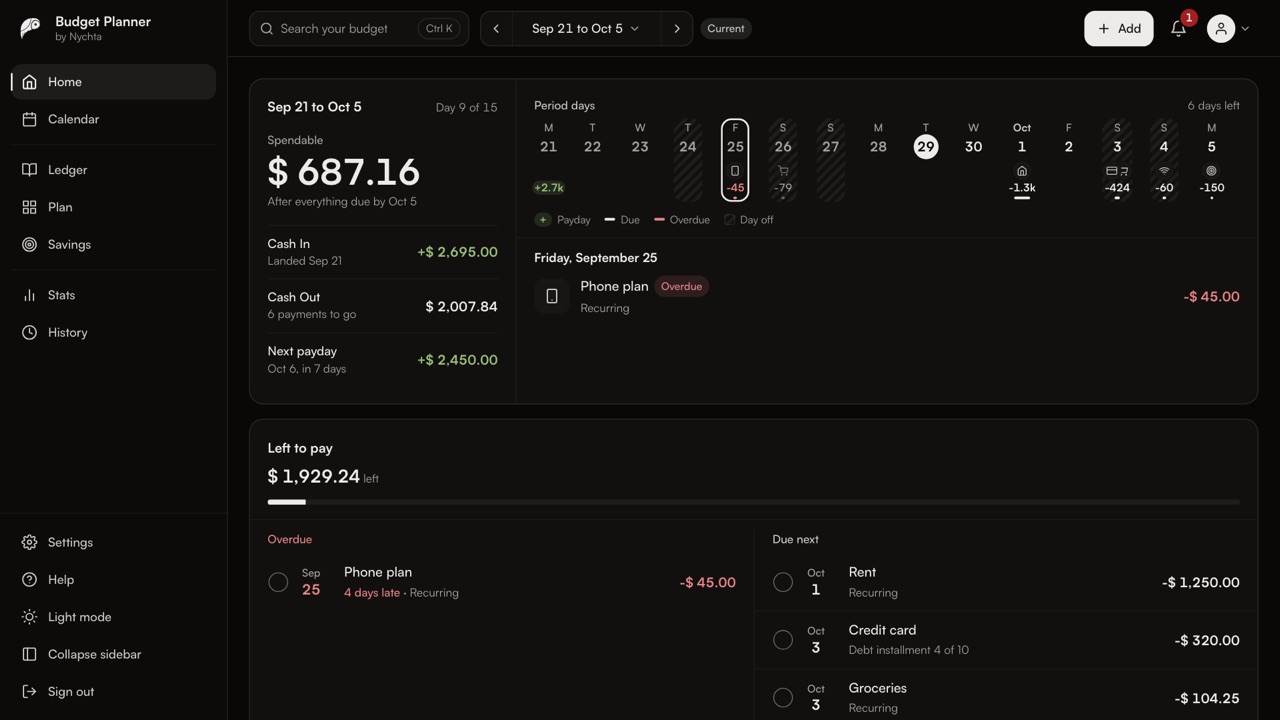
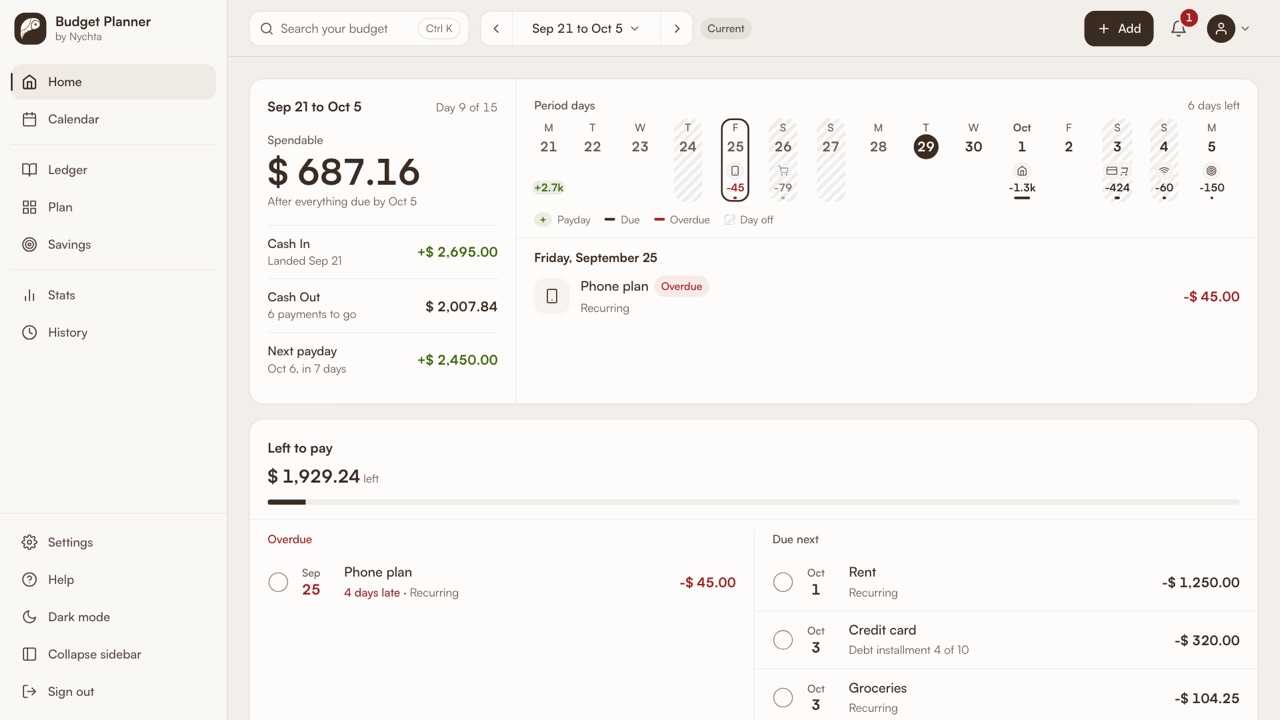
Budget Planner opens on the period you're in, from one payday to the day before the next, and shows what's spendable once everything due is covered.
Every day sits on one strip: paydays in green, bills on their days, anything overdue in red.
Set your pay schedule once. Weekly, every two weeks, twice a month or monthly, your periods follow your paydays.
Paid by the day? A day off shrinks the payday that covers it. Paid late? Move the payday, and your bills stay put.
Left to pay puts overdue first, then what's next. Tick a payment as it goes out, and every figure updates.
Set a Safe Margin, the least you want left when a period ends. The app looks ahead and flags the first period that falls short, weeks before it arrives.
Pay with Apple Pay, and a Shortcut on your iPhone logs it for you.
Plan Mode lays every period side by side, with budgets, savings goals and advances.
Budget Planner. Start your next period with a plan.
Sample data. Narrated, with captions.
Set your pay schedule once. Each cycle runs from one payday to the day before the next, whatever the calendar says.
Twice a month, paid later: work from the 1st to the 15th is paid on the 21st, and work from the 16th to the end on the 6th of next month.
Paid by the hour? Mark a day off or add your country’s public holidays, and the payday that covers it shrinks to match.
Work from Nov 1 to 15
Nov 21 payday
9 work days at $ 245.00 a day
Move the payday to the day the money lands. Keep your cycles as planned, or let this one stretch to meet it. Your bills stay on their days.
Sample data.
Overdue first, then what is due next. Tick a payment when it goes out and every figure updates.
$ 96.50 left
Overdue
Car insurance
Recurring
Everything in this cycle is paid.
Paid
Gym
Recurring
Groceries
Recurring
Groceries
Recurring
Set a Safe Margin, the least you want left when a cycle ends. The app checks the cycles ahead and names the first one that dips below it.
Projected balance at the end of the next six cycles
Safe Margin $ 300.00
| Cycle | Balance at the end |
|---|---|
| Nov 6 to 20 | $ 2,380.95 |
| Nov 21 to Dec 5 | $ 1,184.20 |
| Dec 6 to 20 | $ 612.75 |
| Dec 21 to Jan 5 | $ 118.30, Below the Safe Margin |
| Jan 6 to 20 | $ 1,096.10 |
| Jan 21 to Feb 5 | $ 1,240.00 |
Dec 21 to Jan 5 ends $ 181.70 under your Safe Margin. Rent is due in it, and its payday covers fewer work days. An Advance of $ 200.00 would cover it.
A Shortcut on your iPhone sends each Apple Pay purchase to your Ledger and files it under the category you used before. Anything new waits in To review. No bank login needed.
Plan Mode
Every cycle ahead side by side, like a spreadsheet you can edit.
Budgets
A limit per category, with what is left of it this cycle.
Savings Goals
Put money aside each cycle and watch every goal fill.
Advances
Borrow against a payday and see which cycle pays it back.
Calendar
Paydays, bills and days off on a month or cycle grid.
Stats
Cash In against Cash Out by cycle, and where the money goes.
Search
Find any entry by name, amount or date, straight from the keyboard.
History
Every change you make, listed in one place.
Import
From a CSV file, rows pasted from a spreadsheet, or a Google Sheet.
Export
Download every transaction as a CSV file whenever you like.
Two currencies
An amount in another currency also shows its value in yours.
Guides
Short walkthroughs with real screens for every part of the app.
Access is invite-only while we grow carefully. Join the waitlist and we will email you when a place opens.
Yes. Cycles follow the schedule you set: weekly, every two weeks, twice a month, monthly or on custom days. If you’re paid on the 1st, your cycles are calendar months.
No. Add entries yourself, import a CSV file or a Google Sheet, or let the Apple Pay Shortcut log purchases for you.
Mark the payday as delayed and pick the new date. It shows on its new day with the date it was due, and you choose whether the cycle stretches until the money lands.
Yes. An amount in another currency always shows its value in your main currency too, at the rate from the day it was recorded.
Budget Planner runs in your browser. On iPhone, open it in Safari and add it to your Home Screen to use it like an app.
Yes. Download every transaction as a CSV file from Settings at any time.
Places open in small groups. Join the waitlist and we will email you when yours is ready.
Your next cycle, planned
Nov 21 to Dec 5
Cash In
Lands Nov 21
Cash Out
Planned
Spendable
$ 1,184.20Sample data.